Support
For problems or suggestions, email austinpaxalt@gmail.com. To help us respond quickly, please include your device model, operating system version and the level where the problem occurred. We usually reply within 3 business days.
FAQ
How do I play?
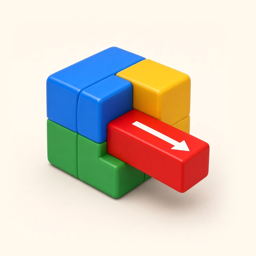
Each block moves only along the line of its arrow and comes out at the end the arrow points to. Tap to push it one step; double-tap to pull it out. Pulled blocks go to the tray below, and any three of the same color clear automatically. If the tray fills up, the level is lost. Clear every block to reveal the figurine hidden inside.
I’m out of undos and hints.
Each level gives you 3 free undos and 3 free hints. After that, use coins or watch a video. With “No Ads”, undo and hints are unlimited.
Can I keep going when the tray is full?
You can undo one move, or watch a video to add one slot to the tray. The extra slot lasts for the current level only, once per level.
How do I restore “No Ads” on a new device?
Sign in with the Apple ID or Google account you used to buy it, open Settings in the game and tap Restore.
Will my progress move to a new device?
On iOS, progress syncs through iCloud; make sure you are signed in with the same Apple ID and iCloud is allowed for the game. On Android, progress syncs through Google Play Games; sign in with the same Google account.
A video ad won’t load.
Check your connection and try again later. When no ad is available, nothing is deducted from your daily limit.
How do I change my ad privacy choices?
Where consent is required, change it under Settings → Ad privacy. You can also turn off personalized ads or reset your advertising identifier in system settings.
How do I request a refund?
Payments are handled by Apple or Google. Request a refund through Apple’s Report a Problem or your Google Play order history.